Waffo Pancake is the merchant of record for Jectora credit purchases and issues the invoice for each completed Waffo order. You can open an invoice from the order confirmation email or from Waffo’s consumer portal.
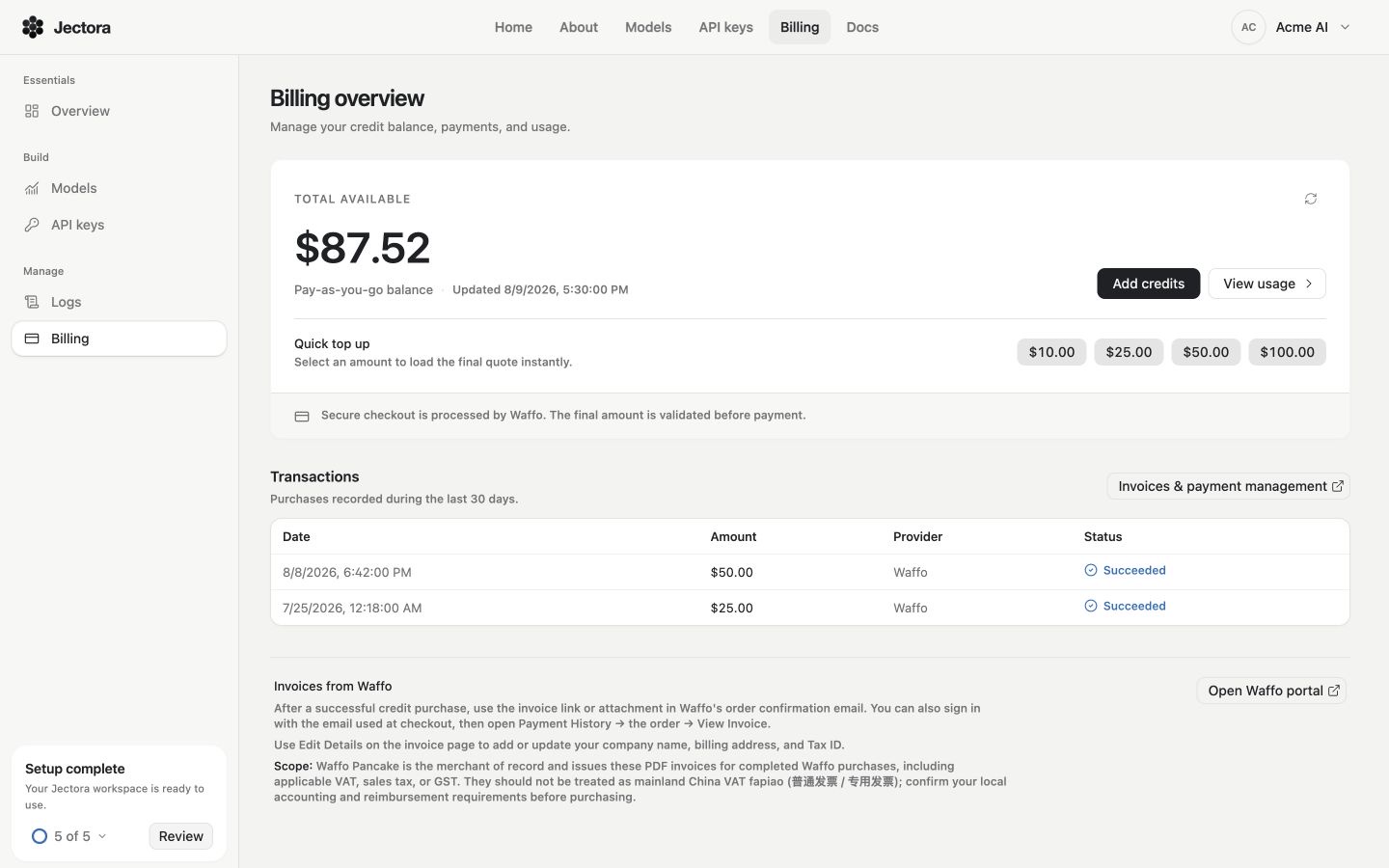
Open invoice management beside the transaction list. The amounts, dates, organization, and account shown here are sample data.
Download an invoice
Open Billing
Sign in to the Jectora Dashboard and find the completed credit purchase under Transactions.
Open invoice management
Choose Invoices & payment management. This opens Waffo’s consumer portal in a new tab.
Sign in to Waffo
Use the same email address that you entered at checkout. In Payment History, open the order and choose View Invoice.
Save the invoice
Review the invoice details, then download the PDF for your records.
You can also use the invoice link or attachment in Waffo’s order confirmation email after a successful purchase.
Add company and tax details
On the Waffo invoice page, choose Edit Details to add or update:
- Company name
- Billing address
- Tax ID
Review these details before downloading the invoice that you submit to your accounting system.
Tax document scope
Waffo-issued PDF invoices can include applicable VAT, sales tax, or GST. They are not mainland China VAT fapiao (普通发票 / 专用发票). Confirm that the document meets your organization’s local accounting and reimbursement requirements before purchasing credits.
If you cannot find an invoice
- Confirm that the transaction shows Succeeded on the Billing page.
- Sign in to Waffo with the email address used for that checkout.
- Check the inbox and spam folder for Waffo’s order confirmation email.
- Open Payment History in the Waffo portal and select the matching order.